




.svg)
.svg)

.svg)
Your iPhone can run two phone numbers at the same time. Not through a workaround or a hack — it’s a built-in feature Apple has supported since the iPhone XR and XS in 2018.
Two numbers. Both active. Both capable of making calls and sending texts independently.
Most people vaguely know this exists because they’ve heard the word “eSIM” somewhere, but assume it’s complicated. It isn’t.
If you’ve ever wanted a separate number for dating apps, marketplace listings, travel, signups, or just keeping different parts of your life a little more organized, your iPhone already supports it.
Which iPhones Support Dual SIM
Every iPhone released since 2018 supports dual SIM in some form. The specifics depend on your model.
Physical SIM + eSIM (iPhone XR through iPhone 13)
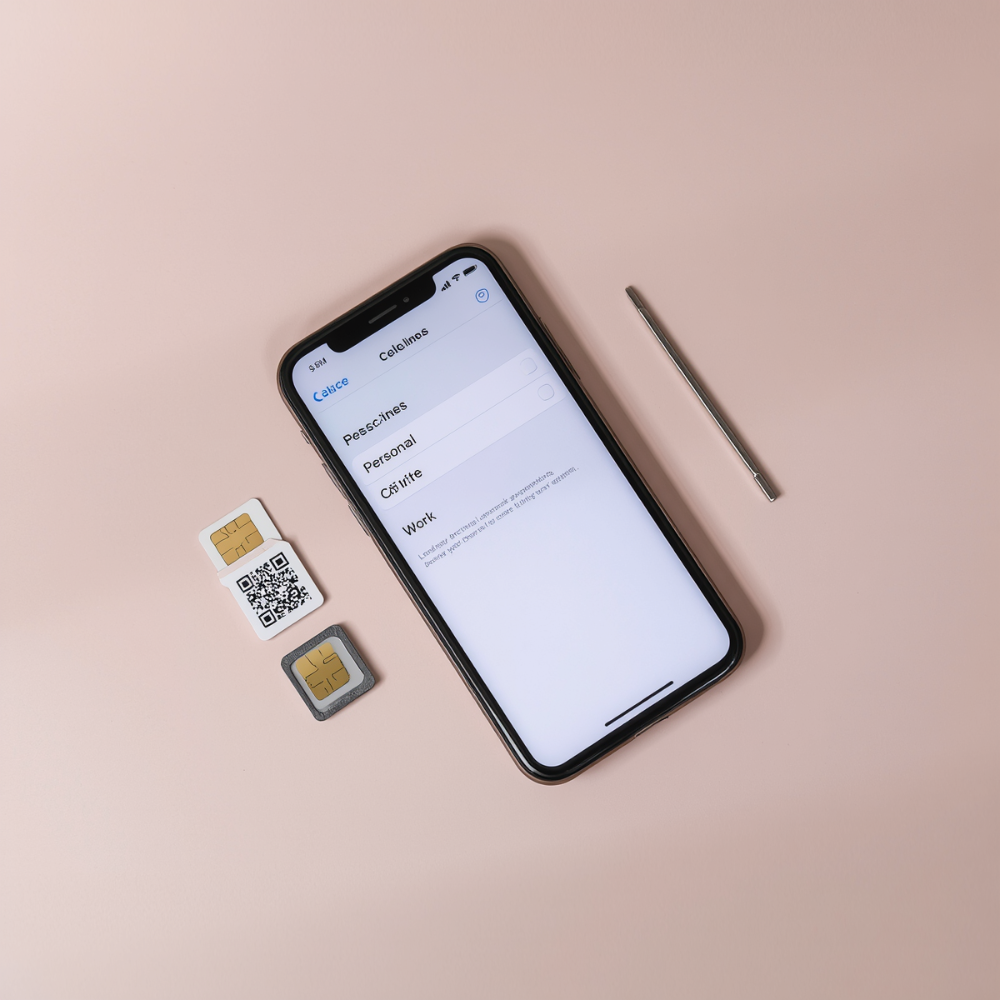
These models have a physical SIM card tray and support for one eSIM. Your primary number lives on the physical SIM. Your second number installs as an eSIM — a digital SIM that's built into the phone's hardware. No extra card, no tray swapping. Both numbers are active simultaneously.
Dual eSIM (iPhone 13 and later)
Starting with the iPhone 13, Apple added support for two active eSIMs at the same time. This means you can run two numbers without using the physical SIM tray at all. The tray is still there (on most models), but you don't need it.
eSIM only (iPhone 14 US models and later)
If you bought an iPhone 14 or later in the United States, there is no SIM tray. Apple removed it entirely. These models run exclusively on eSIM and support two active eSIM lines simultaneously. If you're on one of these phones, eSIM isn't optional — it's the only way any of your numbers work.
The bottom line: if your iPhone is from 2018 or later, it supports a second phone number. The only question is how you want to set it up.
Three Ways to Run Two Numbers on iPhone
Apple's dual SIM system gives you the hardware. The number itself has to come from somewhere. There are three broad categories, and they differ in cost, flexibility, and what you can actually do with the second line.
Add a line from your phone service provider
You can contact your phone service provider — AT&T, T-Mobile, Verizon, or whoever carries your primary number — and add a second line to your account. This installs as an eSIM on your iPhone and works like any other phone number: native calls, native texts, full verification compatibility.
The downside is cost. A second line from a major phone service provider typically runs $30 to $50 per month, locked into a contract. You're also tied to that provider's terms for cancellation. If you just need a second number for a specific purpose — keeping personal and everything-else separate, for instance — this is an expensive way to get there.
Get a prepaid or travel eSIM
Services like Airalo, Holafly, and similar providers sell prepaid eSIMs, mostly aimed at international travelers who want local data in another country. These install quickly and work well for what they're designed for.
The catch: most travel eSIMs are data-only. No calls, no texts, no phone number. They solve the roaming data problem, but they don't give you a second number for communication. If you need a second number people can actually call or text, a data-only eSIM won't help.
Use an app-based second number
Apps like the Burner app give you a second phone number that works for calls, texts, and picture messaging — without involving your phone service provider at all. The standard Burner app routes calls and texts through the app itself. You pick an area code, get a number in minutes, and manage it entirely within the app.
This is the most flexible option. No contracts, no hardware changes, and you can delete the number whenever you want. For most people who just want a separate number for privacy or to keep different parts of their life from bleeding together, this is the simplest path.
There's also the Burner eSIM — a real carrier line that installs directly onto your iPhone as a native eSIM. It's not VoIP. It works with the built-in Phone and Messages apps, and it passes every verification system because it's an actual phone service provider number. More on the difference between these two options below.
How to Set Up a Second Line on iPhone
Whether your second number comes from a phone service provider, a prepaid eSIM, or the Burner eSIM, the installation process follows the same path through your iPhone's settings.
Adding an eSIM
- Open Settings
- Tap Cellular
- Select Add eSIM
- Scan your QR code or enter activation details manually
- Follow the prompts to activate the line
The entire process usually takes less than five minutes. Once activated, both lines appear on your iPhone simultaneously.
Labeling your lines
After adding a second line, iOS asks you to label each one. The default options are "Personal" and "Business," but you can create custom labels — "Primary," "Side Project," "Dating," whatever makes sense for how you use them.
These labels aren't cosmetic. They show up every time you make a call, send a text, or assign a contact to a specific line. Clear labels save you from accidentally calling a client from your personal number or texting a date from your work line.
Setting your default line
Your iPhone lets you choose which line handles:
- Outgoing calls
- Mobile data
- New conversations
Go to Settings > Cellular to manage:
- Default Voice Line
- Cellular Data
- Individual line settings
You can also assign specific contacts to specific numbers so conversations automatically stay separated.
Assigning contacts to specific lines
You can assign individual contacts to a specific number so your iPhone automatically uses the correct line when calling or texting them.
Open a contact, tap Edit, then select Preferred Cellular Plan.
Once assigned, iPhone remembers the preference automatically. Personal contacts stay on one number. Everything else stays on the other.
What to Use Your Second Line For
The dual SIM setup is the mechanism. The reason to bother with it is more personal. Here are the most common use cases.
Keeping personal communication separate
Most people don’t want two phones. A second number lets you separate different types of communication while keeping everything on one device.
You can mute one number, leave the other active, and decide which conversations deserve your attention right now.
International travel
Keep your home number active on one line and add a local eSIM for travel data and regional coverage abroad
Privacy for dating, marketplaces, and sign-ups
A second number helps keep your personal number separate from dating apps, marketplace listings, online forms, and account signups.
Projects, groups, and temporary situations
A separate number can also help organize short-term communication that you may not want connected to your personal number long term.
How to Get a Second Number for Your iPhone
You know the setup process. Now the question is where the number comes from. Here are your realistic options, ranked by flexibility.
The Burner app (virtual second number)
The Burner app gives you a second phone number that works for calls, texts, and picture messaging. It runs within the app — not through your iPhone's native Phone and Messages apps.
What this means in practice: you download the app, pick an area code, and you have a working second number in about two minutes. You can delete it whenever you want, swap it for a new number, or keep it running for years. Plans start at a fraction of what a second line from your phone service provider costs, and there's a free 3-day trial.
The Burner app is the best fit for anyone who needs a separate number for privacy — dating, online selling, keeping sign-ups off your real number, or just having a line you can turn off when you want quiet. It's the fastest, cheapest, and most flexible way to add a second number to your iPhone.
Burner eSIM
The Burner eSIM is different from the standard Burner app. It installs directly onto your iPhone as a native eSIM line rather than operating through a separate app.
Once activated, it works through the built-in Phone and Messages apps, just like your primary number.
Because it’s a carrier-based line rather than a VoIP number, it also works more consistently with verification systems, account signups, and platforms that may reject standard internet-based numbers.
If you want a second number that behaves like a traditional mobile line directly within iOS, the Burner eSIM is the closest match.
A second line from your phone service provider
AT&T, T-Mobile, and Verizon all let you add a second line to your account as an eSIM. This gives you a full carrier number with all the verification compatibility you'd expect. The trade-off is price ($30-50/month), contract commitment, and the fact that you're locked into their ecosystem for cancellation and number management.
This makes sense if your employer is paying for it or if you need a permanent second line with a specific phone service provider's coverage network. For everyone else, it's overkill.
How to Choose the Right Option
The best setup depends on what you want the second number to do.
You want a separate number for privacy, signups, dating apps, or marketplaces
The standard Burner app is the simplest option. Setup takes minutes, there’s no phone service provider involvement, and you can delete or replace the number whenever you want.
You want a second number built directly into iPhone
The Burner eSIM works natively through the Phone and Messages apps and behaves like a traditional mobile line.
You want a permanent second line through your phone service provider
Adding another carrier line works, but it’s usually the most expensive and least flexible option.
For most people, the standard Burner app is the easiest place to start.
FAQ
Can I use two phone numbers on one iPhone?
Yes. Every iPhone from the XR (2018) onward supports dual SIM, which lets you run two phone numbers simultaneously. Depending on your model, this works through a combination of physical SIM and eSIM, or two eSIMs. Both numbers can make calls, send texts, and receive messages at the same time.
Do I need two phone service providers for dual SIM?
No. Your two numbers can come from the same phone service provider, different phone service providers, or a combination of a phone service provider and an app-based number like the Burner app or Burner eSIM. There's no requirement that both lines come from traditional phone service providers.
Does dual SIM drain my battery faster?
Having two active lines does use slightly more battery than a single line, because your iPhone maintains two cellular connections. In practice, most people don't notice a significant difference. If battery life is a concern, you can disable the second line when you're not using it through Settings > Cellular and toggling the line off.
Can I use iMessage and FaceTime with both numbers?
Yes. Go to Settings > Messages and Settings > FaceTime to select which numbers are active for each service. You can use iMessage with both lines, and choose which number to send from when starting a new conversation. This works with carrier-based eSIMs (including Burner eSIM) — virtual numbers use their own app for messaging.
What's the difference between a virtual second number and an eSIM second number?
A virtual number (like the standard Burner app) routes calls and texts within its own app. An eSIM number (like the Burner eSIM) is a real phone service provider line that installs directly on your iPhone and works through the native Phone and Messages apps. The eSIM option passes all verification systems and works identically to your primary number. The virtual option is cheaper, more flexible, and faster to set up. For a deeper comparison, see our guide on eSIM vs. physical SIM.
