




.svg)
.svg)

.svg)
The SIM Tray Is Disappearing
Apple removed the physical SIM tray from every US iPhone starting with the iPhone 14. No slot, no ejector tool, no tiny card. Just eSIM. Most flagship Android phones — Samsung Galaxy S series, Google Pixel — now support eSIM too. The direction is clear: the plastic SIM card that has shipped with every phone since the early ’90s is on its way out.
But most people don’t really understand what eSIM is, how it differs from the card they’ve been using for years, or whether they should care. If you’re wondering whether to switch — or you already have an eSIM-only phone and want to know what that means — here’s the practical breakdown.
What Is a Physical SIM?
A physical SIM is a small chip on a plastic card. You slide it into a tray on the side of your phone (using the little ejector tool you lost within 24 hours of unboxing). The chip stores your subscriber identity — your phone number, your account credentials, and the information your phone service provider uses to authenticate you on their network.
Physical SIMs have been around since 1991. They’ve gotten smaller — from full-size to mini to micro to the current nano SIM — but the idea hasn’t changed. One card, one plan, one number per slot.
What physical SIMs do well
Where they fall short
What Is eSIM?
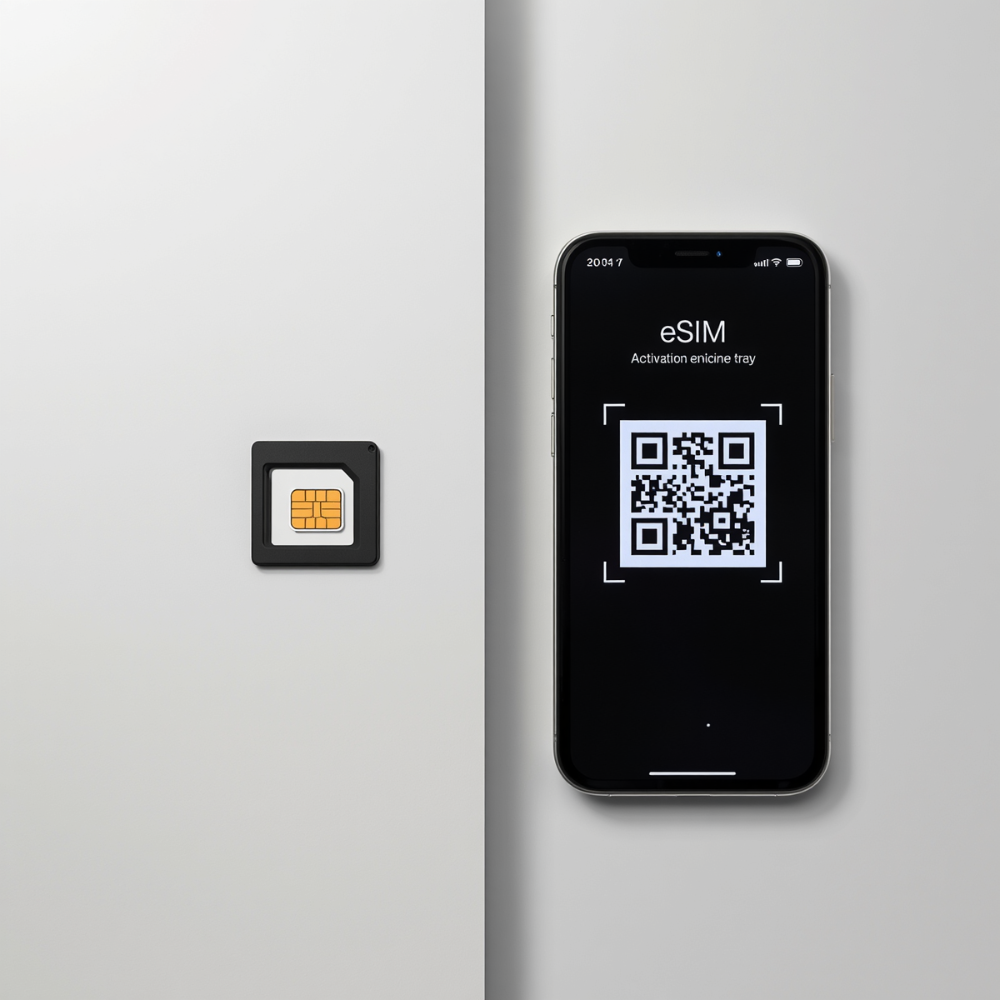
An eSIM (embedded SIM) is a chip soldered permanently into your phone during manufacturing. There’s nothing to insert or remove. Instead of a physical card, you download a SIM profile — a digital version of the same credentials a plastic SIM would store. Your phone service provider gives you a QR code, you scan it, and the profile downloads over the air. The whole process takes a few minutes.
The key difference: an eSIM is reprogrammable. It can store multiple SIM profiles at once. You can switch between them in your phone’s settings without touching any hardware. One embedded chip, multiple numbers.
eSIM advantages
eSIM drawbacks (the honest version)
eSIM vs. Physical SIM
Physical SIM
- Insert a physical card into your phone
- Easy to move between devices
- Limited by the number of SIM slots on the phone
- Works with nearly every phone service provider
- Better for people who frequently swap phones
eSIM
- Activated digitally through settings or a QR code
- Supports multiple SIM profiles on one device
- Makes dual-number setups much easier
- Better for travel and flexible number management
- Built into most newer iPhones and flagship Android devices
Should You Switch to eSIM?
If your phone supports it and your phone service provider offers it, the practical advantages are real. Faster activation, no physical card to manage, and the ability to run multiple numbers without juggling hardware. If you travel internationally, eSIM is meaningfully better — keeping your home number active while adding a local plan is something physical SIM makes awkward at best.
If you frequently swap phones or rely on a smaller phone service provider that hasn’t added eSIM support yet, staying with physical SIM for now is reasonable. You’re not missing out on call quality or network performance — eSIM and physical SIM deliver identical service once connected. The difference is logistics.
And if you have a newer iPhone (14 or later, US model), the decision is already made. There’s no SIM tray. eSIM is how your phone works.
eSIM Makes Two Numbers on One Phone Much Easier
This is where eSIM becomes genuinely useful.
Running two numbers on one phone used to mean carrying two devices or constantly forwarding calls between them. eSIM makes the setup much cleaner.
You can keep your personal number on one line and add a second number on another. Both stay active at the same time. Both can make calls, send texts, and receive messages independently.
That second number can be useful for:
- Dating apps
- Marketplace listings
- Travel
- Signups
- Keeping different parts of your life separate
A second phone number stops being a workaround and starts being a normal part of how your phone is set up.
Two Ways to Get a Second Number with Burner
Burner eSIM: a native second line
The Burner eSIM installs directly onto your iPhone as a native eSIM line rather than operating through a separate app.
Once activated, the number works through the built-in Phone and Messages apps, alongside your primary number.
Because it’s a carrier-based line instead of a VoIP number, it also works more consistently with verification systems and platforms that may reject internet-based numbers.
Setup takes only a few minutes. Scan a QR code, activate the line, and your second number is ready to use — no extra device or physical SIM card required.
The Burner app: a simpler path
Not everyone needs a carrier-based second line.
The Burner app gives you a second phone number with calls and texts managed directly inside the app. Setup takes minutes, and you can create, manage, or remove numbers whenever you want.
For dating apps, marketplace listings, online signups, or situations where you’d rather not share your personal number, the Burner app keeps communication separate without adding another device or phone plan.
FAQ
Can I switch back to a physical SIM after using eSIM?
Yes. If your phone has a physical SIM tray, you can go back to using a physical SIM at any time. You’d contact your phone service provider to deactivate the eSIM profile and get a physical SIM card issued. On eSIM-only phones (like the iPhone 14 and later in the US), there’s no SIM tray to go back to — but you can still switch phone service providers by downloading a new eSIM profile.
Does eSIM cost more than a physical SIM?
No. Phone service providers generally charge the same monthly rates whether you’re using a physical SIM or eSIM. The SIM type is just the delivery method for your plan — it doesn’t change the price of service. Some providers charge a small fee to issue a new SIM card (physical or eSIM), but the ongoing cost is identical.
Which phones support eSIM?
On the Apple side: every iPhone from the XS (2018) onward. The iPhone 14 and later (US models) are eSIM-only with no physical SIM tray. On Android: Google Pixel 3 and later, Samsung Galaxy S20 and later, and most flagship devices released since 2020. Budget and mid-range Android phones are less consistent — check your phone’s settings under “Cellular” or “SIM cards” to see if “Add eSIM” appears as an option.
Can I have both an eSIM and a physical SIM active at the same time?
Yes. This is dual SIM, and it’s how most people run two numbers on one phone. On iPhones with a SIM tray (XS through 13), you can use one physical SIM and one eSIM simultaneously. On the iPhone 14 and later (US), you run two eSIMs side by side. Many Android flagships support similar configurations. Both numbers stay active — you receive calls and texts on both and choose which to use for outgoing.
Is eSIM more secure than a physical SIM?
In one meaningful way, yes. A physical SIM can be removed from your phone and inserted into another device — a tactic used in certain SIM swap attacks. An eSIM is soldered into the phone and can’t be physically extracted, which eliminates that particular vulnerability. In terms of network encryption and call security, both types are identical. Neither makes your calls private by default — that’s a separate question from SIM type.
